This here’s a machine-translated text that might contain some errors!
Build a Knowledge Base
Short summary
- Build an info vault with data on IT jobs, education, and tasks.
- You can use Obsidian Markdown to organize it all, if you’re willin’.
- Later we’ll sync that vault up to GitHub and whip up a website using MkDocs.
- This vault’s good for turnin’ assignments, but more importantly, keep it as your personal knowledge stash.
What’s Up?
Build a knowledge base that can hold useful info you pick up over the year, or other stuff you sure don’t want to forget. You could use Obsidian Markdown to craft and organize your notes, for instance. Think of this knowledge base as your digital workbench and brain trust.
Why?
Why not? We’re also gonna use that info bank over in Development & Ops Support class. Word docs and stuff like that tend to get lost, but if we lean on version control systems like GitHub, we can keep a handle on that data so it’s easy to look back on down the road. Publishin’ them Markdown docs is real simple too when you use projects like MkDocs, which is something we’ll take a closer look at later on.
Howdy?
We reckon it’s a good idea to get yourself acquainted with the Obsidian software an’ learn how Markdown syntax works. Unlike Word where the formatting is “invisible,” Markdown uses special characters to change up what things look like. https://www.markdownguide.org/cheat-sheet/ is a fine place to start.
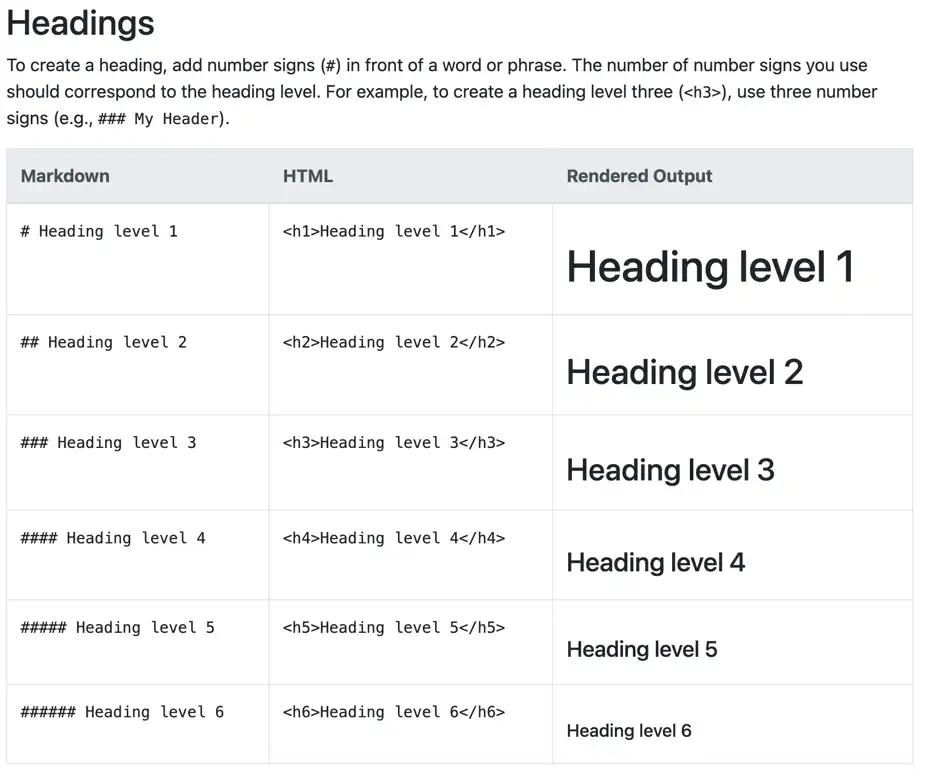
Clippin from https://www.markdownguide.org