This is a machine-translated text that may contain errors!
Brief summary
- Create an information bank with information about IT careers, education and tasks.
- For example, you can use Obsidian Markdown to organize the information.
- Later we can synchronize the bank to GitHub and create a website using MkDocs.
- The information bank can be used for submitting assignments, but above all serve as a knowledge hub for yourself.
What?
Create an information bank that can hold useful information you learn during the year, or other things you would prefer not to forget. For example, you can use Obsidian Markdown to create and organize your notes. Think of the information bank as a digital work book and knowledge base.
Why?
Why not? We will also use the information bank in the Development and Operations Support course. Word documents and similar files are often lost, but if we use version control systems like GitHub, we can preserve the data that may be nice to look back on later. Publishing Markdown documents is among other things easy by using projects like MkDocs, which is something we will look at later.
How?
We recommend that you familiarize yourself with the Obsidian software and become acquainted with Markdown’s syntax. Unlike Word, where formatting is “invisible”, Markdown uses special characters to change the visual appearance. https://www.markdownguide.org/cheat-sheet/ is a good starting point.
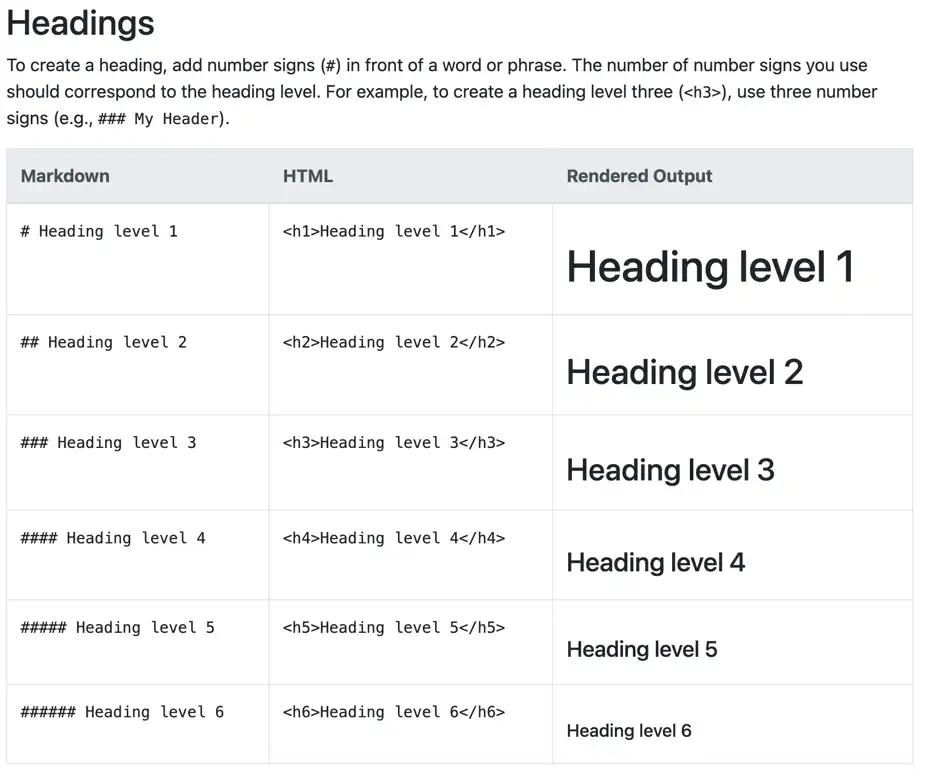
Excerpt from https://www.markdownguide.org