This is a machine-translated text that may contain errors!
Unit Testing and Validation
Now that we have created classes and worked on validation, we have a solid foundation to begin with testing. Testing is an important part of the development process, and it helps us ensure our code functions as expected.
But how can we be sure the code works correctly if we don’t test it?
What is Unit Testing?
Unit Testing is a method for automatically and systematically testing small parts of our code. In Python, we use a module called pytest to write and run tests. A “unit” is the smallest testable part of an application, often a single function or method. When using pytest, it is important that we follow the correct naming conventions for pytest to be able to find our tests, such as naming test files with test_ in front, and test functions with test_ in front.
Example of a unit test:
def test_add():
    assert 0.3 + 0.3 + 0.3 == 0.9
Run by typing pytest in the terminal.
Fun fact
The code above will fail because .3+.3+.3 becomes 0.8999999999 in Python!
 Task 1 - Install pytest
Install pytest in your virtual environment. You do this by running the following command in the terminal:
pip install pytest
Task 2 - Write a test
Create a new file in your project folder named test_data.py. In this file, write a test for the Person class you created in the previous module. The test should verify that a Person can be instantiated with valid values.
Example of what the test might look like:
from main import Person

def test_person_working():
    bob_kaare = Person(name="Bob Kåre",
                       eye_color=EyeColor.BLUE,
                       phone_number=PhoneNumber("12345678"),
                       email=Email("bob_kaare@example.com"))
    assert bob_kaare.name == "Bob Kåre"
    assert bob_kaare.eye_color == EyeColor.BLUE
This type of testing is called “happy path” testing, because we test that everything works as it should when we provide valid values, and is not particularly useful.
 Task 3 - Test validation
Create several tests in test_person.py that check whether the validation in Email and PhoneNumber works as expected. Test both valid and invalid values. You need to use a function in pytest called raises, which checks that a specific error is raised.
import pytest

def test_exception():
    with pytest.raises(KeyError):
        my_dict = {"a": 1, "b": 2}
        value = my_dict["c"]  # This will "raise" a KeyError
Tip
You can create as many functions as you like, as long as the function name starts with test_.
Solution: Example of a test for invalid email
from main import Email

import pytest

def test_invalid_email():
    with pytest.raises(ValueError):
        email = Email("not-an-email")
Why do this?
By having good tests for our code, we can ensure that it works as intended, and we can easily identify if something has gone wrong when making changes to the code. This is especially important in larger projects where many developers work together and mistakes are easy to make.
Video: Why tests protect code against new errors
The video explains why testing is important and how automated tests can uncover bugs after changes to the code.
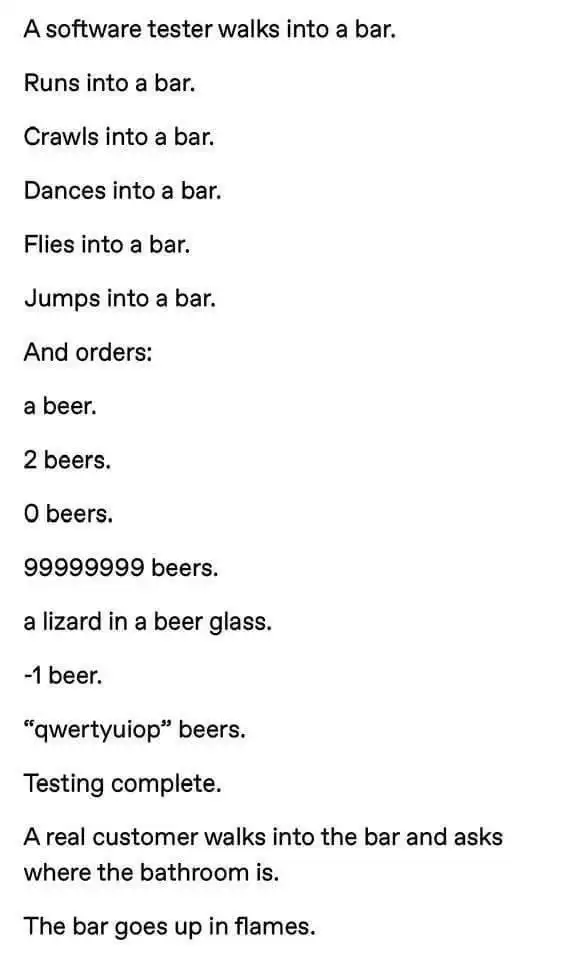
By using software such as Jest or Selenium, websites can be tested automatically, ensuring that everything works as intended after each change in the code. We would certainly like to know that “user registration,” “payment,” and “login” work correctly, right?
Consider the following scenarios
What happens (or should happen) if..:
- A user tries to register with an email that is already in use?
- A user has a future date of birth?
- A user enters the name “jOHN dOE”?
 Task 4 - Automatic Testing (CI)
When we publish code on GitHub, we can set up something called GitHub Actions that can run our tests automatically every time we make a change to the code. This is called Continuous Integration (CI), and it helps us ensure that our code always works as expected.
Create a file in your project folder called .github/workflows/pytest.yml. In this file, you should add the following code:
name: Pytest

on: [push]

jobs:
  build:
    runs-on: ubuntu-latest

    steps:
    - uses: actions/checkout@v4
    - name: Set up Python
      uses: actions/setup-python@v5
      with:
        python-version: '3.11'
    - name: Install dependencies
      run: |
        python -m pip install --upgrade pip
        pip install pytest
        # Install any other dependencies your project needs
        pip install -r requirements.txt
    - name: Run tests with pytest
      run: pytest
If you have set it up correctly, you will now see a new tab in your GitHub repository called “Actions”. Here, you can see that your tests are run automatically every time you make a change to the code, and you will be notified if any of the tests fail (red cross and via email).
Note on file structure
Your file structure will determine whether GitHub Actions works or not. Make sure that the .github folder is located in the root directory of your project, and likewise a tests folder where your test files are located.
You can optionally modify the pytest.yml file to point to the correct folder.
Image Action files can also be used to test your code on multiple versions of Python or operating systems; they can also be used to automatically build and publish your software, for example publishing a website, or updating an app in the App Store or Google Play.
Code Coverage
There is also something called “Code Coverage” that can help you see how much of your code is actually being tested. This can be useful to find out if you have enough tests, or if there are parts of your code that aren’t being tested at all.
Some employers require a certain percentage of your code to be covered by tests before it can be deployed, to ensure that the code is robust and works as intended.