Avast ye, this be a machine-translated text an’ may contain errors, aye!
VPN
VPN, or Virtual Private Network, be a solution that allows us to establish a secure (encrypted) connection to another network and device(s) over the internet, aye.
First, what be a private network? (not a VPN)
A private network be a network that be isolated from other networks, aye. This can be a company network, a home network, or another type o’ network that ain’t open to all. An open network, like for example at an airport, be also technically a private network, but they be usually configured to isolate the devices from each other to increase security.
Plotted scenario
Picture this: ye have a printer at home that ye wish to use t’print a document. This here printer be connected t’thine own network an’, therefore, has a private IP address only accessible by devices linked t’yoursel’. Ye can easily us y’r machine back home without any trouble, but yer neighbor be on another net entirely and cannot reach thet writer o’er easy peasy.
Nor can ye communicate with thyme from f’r instance school or other nets, because the printer ain’t exposed t’The Great Wide Open (which it shouldn’t be fer safety reasons anyway).
Note: Be no rules without exceptions…
Some gadgets do offer solutions where they utilize some VPN-like tech so ye may print documents fr’m anywhere in these parts of the world, as long’s ye got internet access. Now, that might bring about a bit’a danger, so keep an eye out what ye connect t’y’renet, especially when it comes t’IoT contraptions or surveillance cameras.
Har ye noticed that each time ye connect to a new network, ye be gettin’ a question o’ whether ye be connectin’ to a “private” or “public” network?
This be so that Windows (or other operatin’ systems) uses this information to determine which firewall rules be used to protect yer device. A private network be usually unsecured (all connected devices trust each other automatically), and be therefore vulnerable to other devices on the same network. In return, ye can more easily share printers, files, and other resources when machines be on the same network.
Commercial scallywags
There be a host o’ commercial actors offerin’ VPN services, boastin’ they can shield yer privacy on th’ internet an’ let ye surf without no one knowin’ who ye be. This ain’t necessarily th’ whole truth, matey, ‘n it’s crucial to keep yer eyes open fer what a VPN actually does.
In practice, we shift our network connection off to another place (perhaps even another realm o’ lands), usin’ VPN servers as a middleman between our client an’ the vast seas of th’ internet.
Video: What a VPN actually hides an’ what it don’t hide
The video shows how a VPN tunnel sends yer traffic through a VPN server, an’ what limits that has fer privacy an’ security.
Commercial VPN != security
Many a scoundrel peddles themselves as a service offerin’ increased security, but for most landlubbers, that ain’t the case. When we visit websites usin’ HTTPS (even on public wifi), the connection be already encrypted, and a VPN won’t necessarily offer any extra security. It canna’ neither “hide” yer activity from yer internet provider entirely.
In certain lands or places, however, it might be advantageous, but ‘tis important to be aware that ye be shiftin’ yer trust from yer internet provider to the VPN provider.
Public Networks
We often hear that we shouldn’t connect to unsecured public networks, such as those in cafes, airports, hotels, etc. This isn’t necessarily problematic as long as we use HTTPS (encrypted) to visit websites.
What can be problematic is if someone sets up a “false” network with, for example, a malicious Captive Portal (a webpage that usually requires login or acceptance of terms before we get access to the internet).
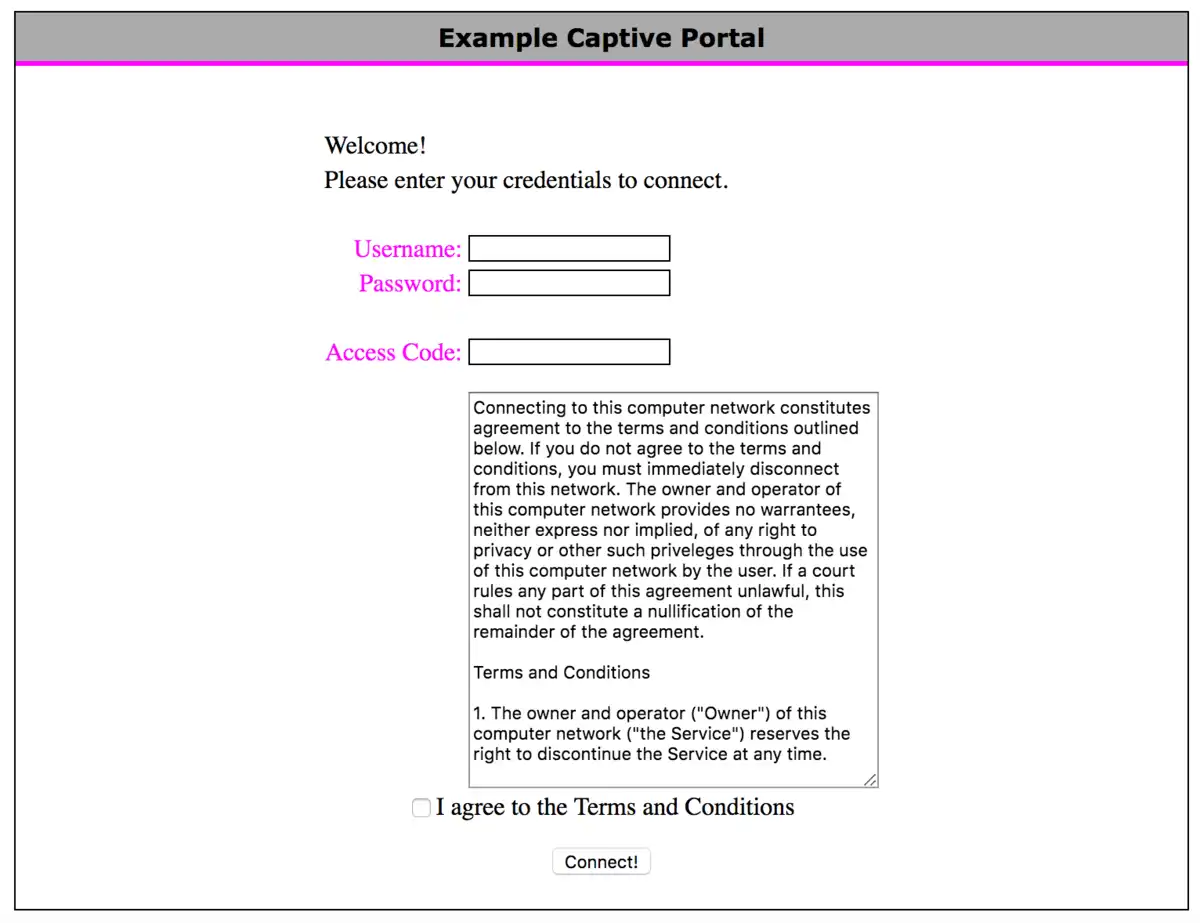
Have ye checked if ye have “automatic connection” to open networks on yer mobile or laptop? This can cause yer device to connect to a malicious network without ye bein’ aware o’ it.
What can we use a VPN for, ye scallywags?
A VPN can be used to tether devices across different networks, as if they were on the same (private) network, in a safer manner than exposin’ the devices directly to the high seas of the internet (open ports in the firewall). Take heed, we still need a VPN server to latch onto; we can either rig it up ourselves (which requires piercin’ the firewall), or use a merchant who offers a relay (a middleman) for us. Popular choices be OpenVPN, WireGuard, and IPsec.
Eksempel
Ye be havin’ a gaming PC that ye wish to connect with yer laptop when ye be at school, usin’ Remote Desktop software (RDP). Then ye can set up a VPN solution that lets ye connect to yer home network, and then use RDP to connect to yer gaming PC as if ye were home.
In our case, we’ll use it to access resources here on school grounds from other parts o’ the world, and later we shall look into cloud computin’, where we wish to connect tae virtual servers in th’ clouds safely an’ securely. Normally, ye open a port on yer server tae set this up afore lockin’ down th’ server afterwards (typically via a site-tae-site VPN).
Th’ only practical difference is that ye get another IP address across yer VPN network (for instance, addresses like 100.64.x.x/10 are often used fer VPNs), but functionality remains as though yew were upon th’ same local net. This means yow can utilize tools such as RDP, SSH, FTP (Fille Transfer Protocol), etc., without havin’ ter open them services wide op’n in firewalls or walls betwixt us!
Ahoy there be no need worry about security breaches when properly configured—just enjoy smooth sailings through digital seas with confidence! 🏴☠️🌊⚓️
 Task 1 - Installin’ TailScale VPN
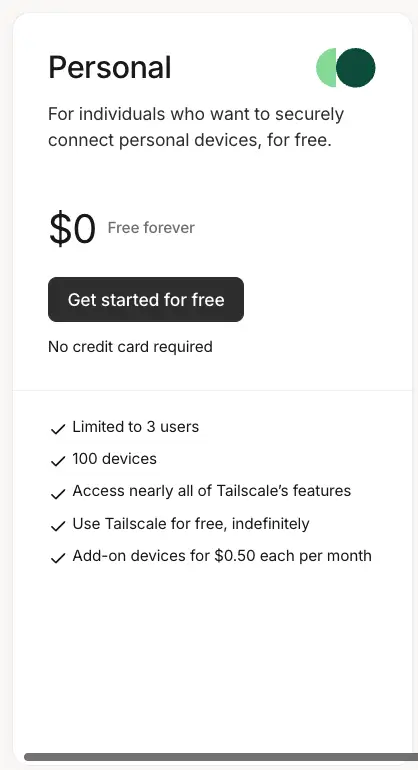
Aye, thankfully for us, installin’ a VPN be a simple task, especially if ye be usin’ a service like TailScale. This be a commercial service that offers an easy way to set up a WireGuard VPN, which gives us more than enough functionality for our needs on its free tier (100 devices).
Follow the installation process as described in the documentation: https://tailscale.com/download
Merk
Ye need VPN on all the vessels ye be wantin’ to tether to the network. This includes servers, PCs, mobiles, and all that booty.
 Cap’n’ Task 2 - Settin an Exit Node
An Exit Node on yer Tailscale rig is a piece o’ kit in yer network that acts as a gate fer all traffic from other ships in the Tailscale fleet. This routes all the cargo through this vessel, which be useful fer plunderin’ resources on a specific sea or grabbin’ a new IP address to dodge geographical shackles.
We use Nginx Proxy Manager ter limit access t’ certain treasures based on IP address (e.g., yer Proxmox ship), with an Exit Node at the school ye’ll get an IP address that be “at the school” no matter where ye are in the seven seas.
Video: How a Tailscale Exit Node commands traffic
The video shows how an Exit Node in Tailscale can serve as a gateway fer traffick from other vessels on the network.
Follow ye the charts to set up an Exit-Node: https://tailscale.com/kb/1103/exit-nodes#configure-an-exit-node
Avast! “Edit Routes” menu
Forget not to be switchin’ on “Use as Exit Node” in the TailScale menu on the device ye’ve set up as an Exit-Node. ‘Tis a common step to be forgettin’.
Exit-Node on a VPS in the clouds, aye!
Should ye be settin’ up a virtual machine in another land via, fer example, Azure (where ye get free credit as a student), then ye can easily set up an Exit-Node to get an IP address in that land - much like a commercial VPN service, with fewer restrictions and more learnin’!