This is a machine-translated text which may contain errors!
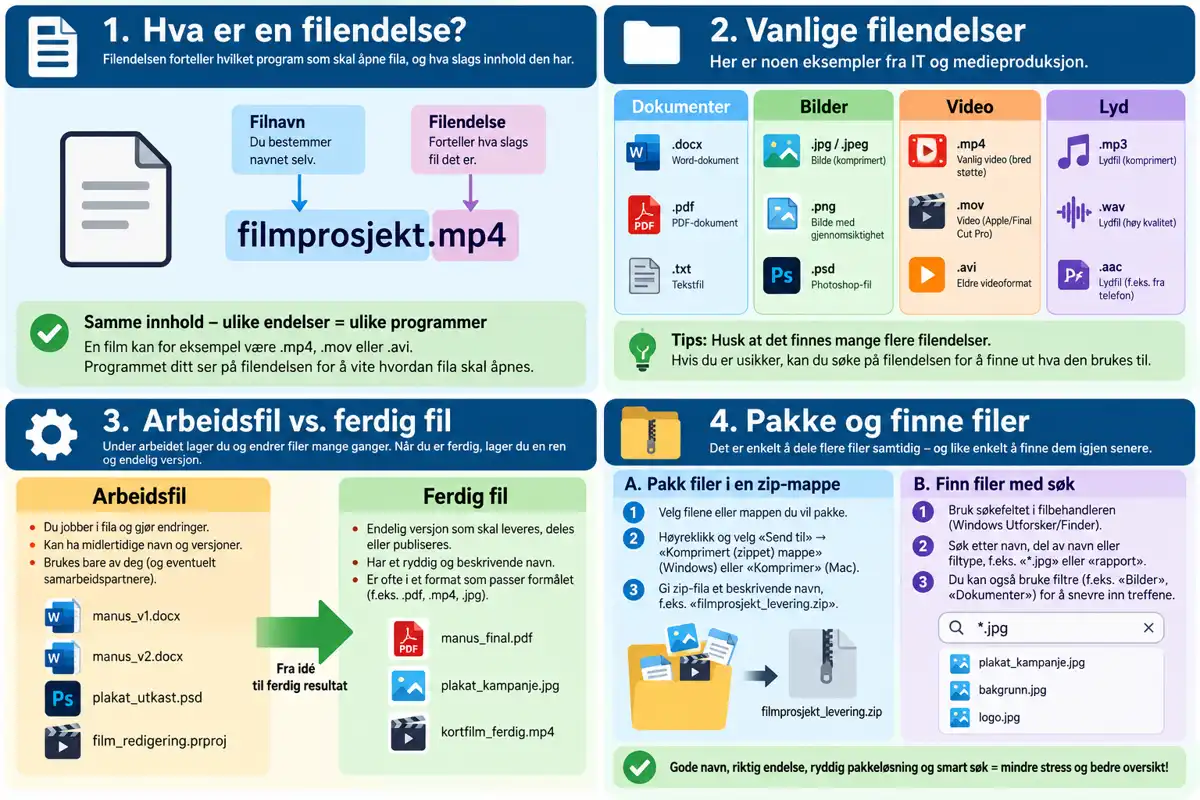
Thou hast already learned that the file’s suffix is that portion of its name which doth followeth upon the full stoppe, and how thou maistest shew it uppon thine owen machine. Nowe let us beholde whyt ‘tis profitable to know these suffixes by sight, and in what manner thou mayst employ them with right.
Hast thou enabled file extensions?
Examine a file within thy directory’s structure this very hour — dost thou spy .docx, .jpg, or like tokens appended unto its name? If not, return forthwith to the former part and enable them first.
File Extensions in IT and Media Production
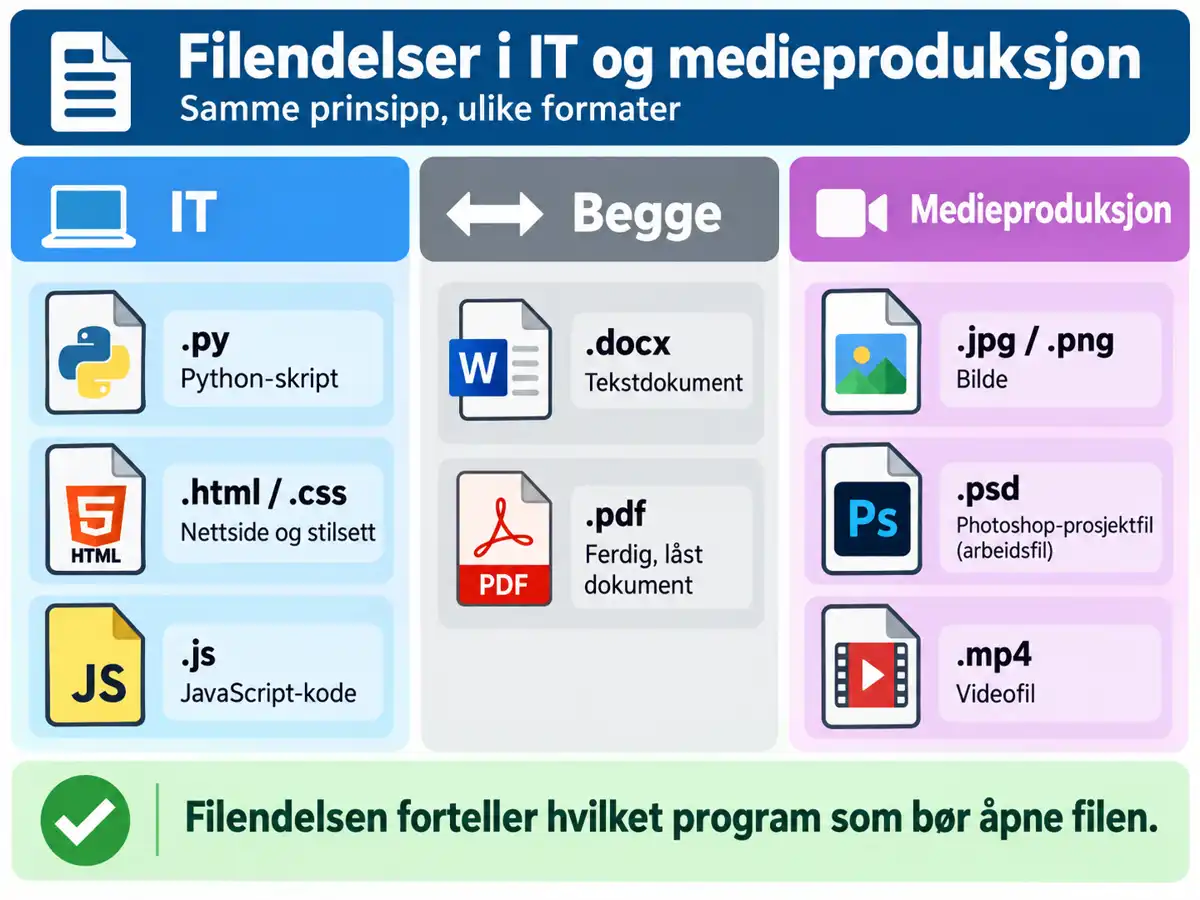
Diverse disciplines employ distinct file types. Here be some thou shalt encounter at IM:
| Extension | What is it? | Direction |
|---|---|---|
.py | Python script | IT |
.html / .css | Webpage / stylesheet | IT |
.js | JavaScript code | IT |
.docx | Text document | Both |
.pdf | Finished, locked document | Both |
.jpg / .png | Image | Media production |
.psd | Photoshop project file | Media production |
.mp4 | Video file | Media production |
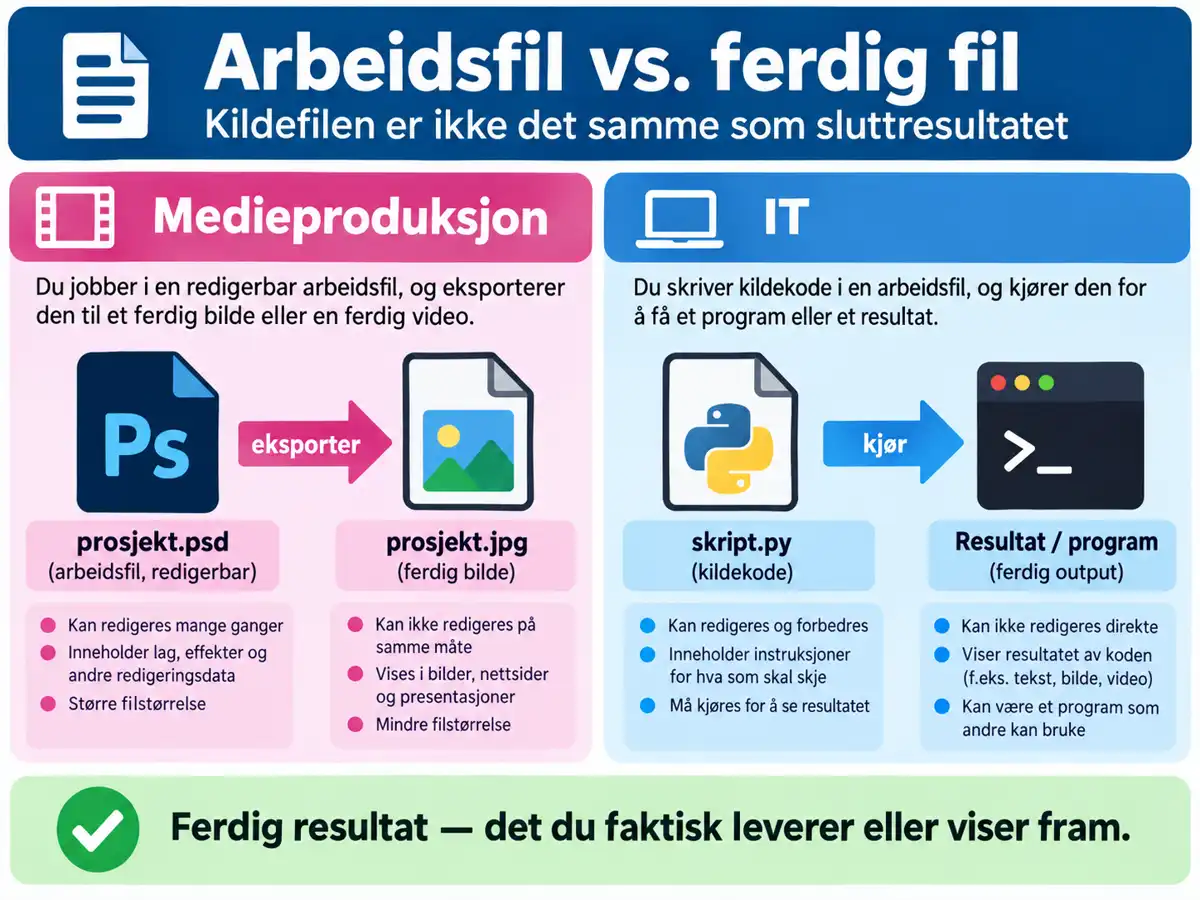
Labour File unto Finished Work
An
The same reasoneth in code: an
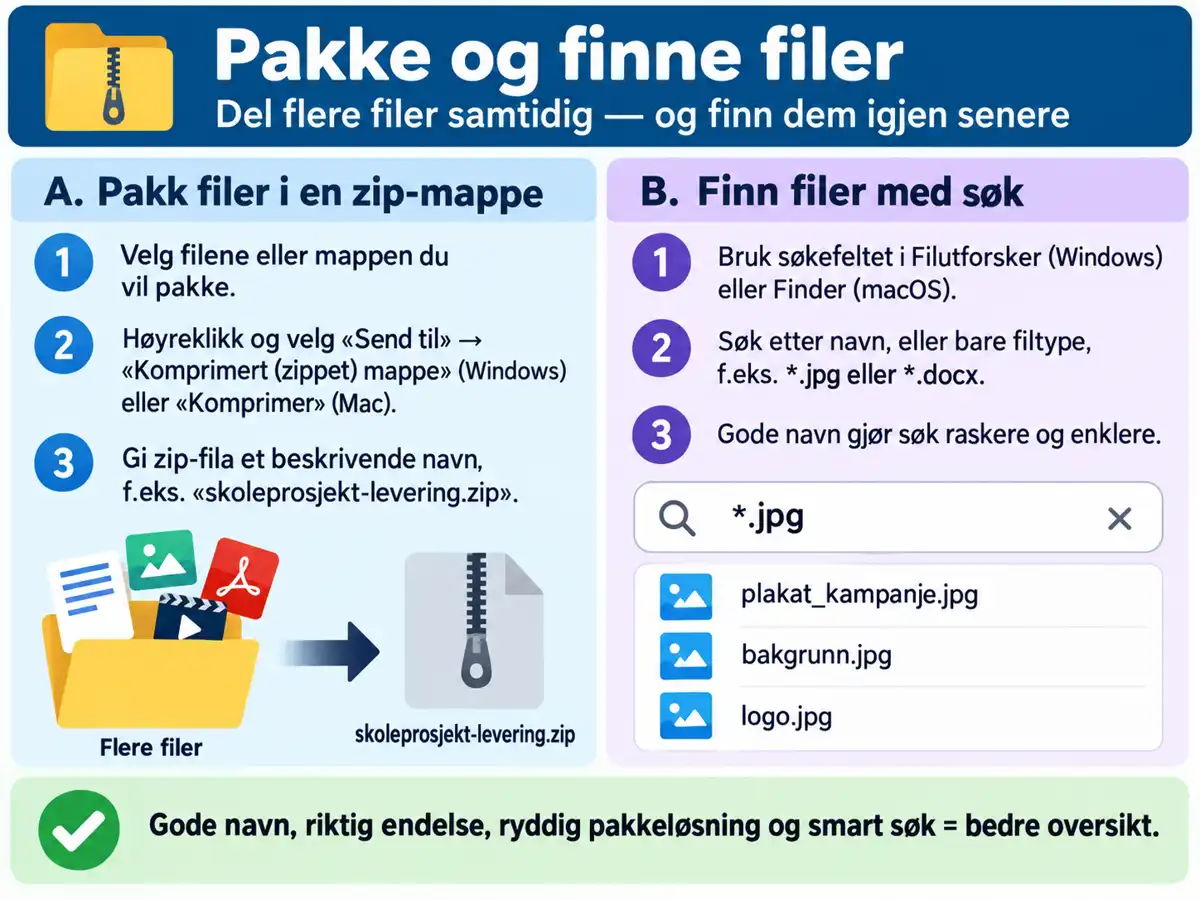
The Taske - To Forge Rightly Named Files within Thine Own Folder Structure
Thou art to deliver three files unto a schole project: an image, a text document, and a webpage file.
Step I - To Make the Files
Enter thou into the folder structure that thou hast wrought in Mappestruktur Level 1, and forge three new, empty files:
- one picture (
.jpgor.png) - one text document (
.docx) - one webpage file (
.html)
Step Two - Grant them right names
Each file shall possess:
- a
descriptive name (see the former part) - the proper suffix for its kind of matter
- due placement within their own folder structure
Change thou not the file extension to beguile a programme
The file extension ought to accord with its true substance. To alter .docx unto .html maketh it no webpage — nay, ‘twas but spoil’d for that which should open it.
Steppe Three – Examine Thy Labours
Take heed of thine three files. Doth each shew its extension plainly to thine eye? Have they names that declare their contents without need for them to be unsealed?
Thou art done with thy task
Cast thine eye upon the name of this file, IMG2093.jpg. Is it a worthy nomenclature? What title wouldst thou bestow thereupon, sans altering its suffix?
Complete Thou Art! 🎉
Now dost thou discern common file extensions within the realms of information technology and media craft, and knowest thou the distinction betwixt a work-in-progress and a finished piece. United with proper nomenclature from the prior chapter, hast thou now all that is requisite to keep thy academic labours in good order throughout the remainder of the year.